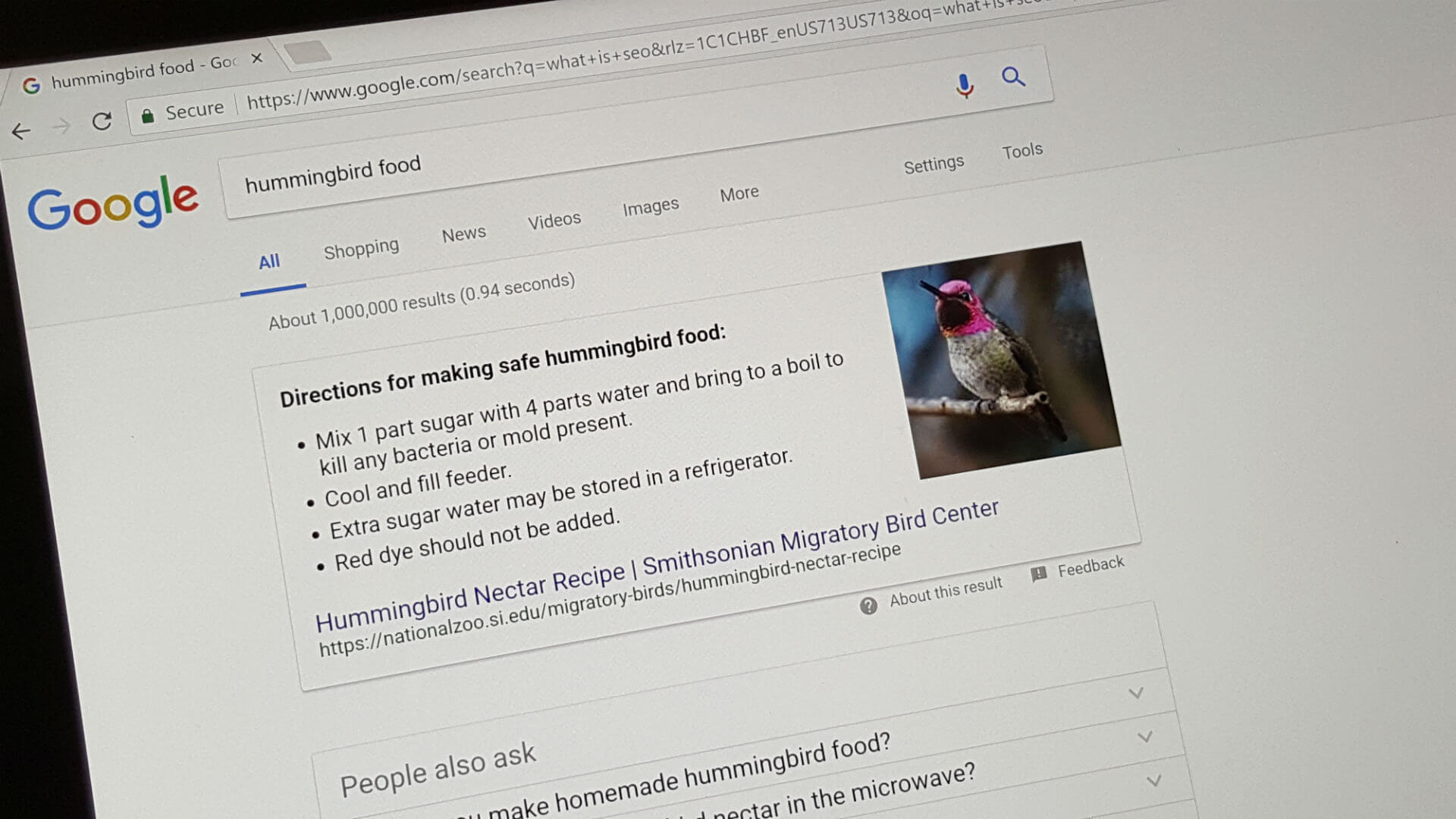
Google publishes new help documents on controlling titles and descriptions in search

Google publishes new help documents on controlling titles and descriptions in search

news image

Google has just published two new help documents to help publishers control what Google shows in the search results for the title and description of the listing. Also, Google introduced a new term for the title of a search result, “title link.”

Control your title links in search results. The first document is named control your title links in search results and it first defines what a “title link” is. A title link “is the title of a search result on Google Search and other properties (for example, Google News) that links to the web page.”

Google then uses a screenshot to point to the title link:

The document then goes through best practices for writing elements, how Google creates title links for the search results, how to avoid common issues with <title> elements, and how to submit feedback to Google on this topic.</p> <p>As a reminder, in August, <a href="https://searchengineland.com/google-confirms-it-changed-how-it-creates-titles-for-search-result-listings-351506">Google made a change to the title links</a> that upset a number of publishers, Google then explained why and <a href="https://searchengineland.com/google-explains-why-it-made-the-title-change-to-the-search-results-374501">scaled it back</a> a bit.</p> <p>Check out the full help document <a href="https://developers.google.com/search/docs/advanced/appearance/title-link">over here</a>.</p> <p><strong>Control your snippets in search results. </strong>The second new help document is named <a href="https://developers.google.com/search/docs/advanced/appearance/snippet">control your snippets in search results</a> and it first defines what a snippet is. A snippet “is the description or summary part of search result on Google Search and other properties (for example, Google News).”</p> <p><meta charset="utf-8"></meta>Google then uses a screenshot to point to the snippet:</p> <figure><img decoding="async" alt="" height="215" loading="lazy" src="https://searchengineland.com/figz/wp-content/seloads/2021/10/snippet-800x215.jpg" width="800"></img></figure> <p><meta charset="utf-8"></meta>The document then goes through how snippets are created, the differences between rich results and meta description tags, how to <a href="https://searchengineland.com/google-adds-new-snippet-controls-to-enable-control-over-how-your-search-listings-are-displayed-322456">prevent snippets or adjust snippet length</a>, and the best practices for creating meta descriptions.</p> <p><meta charset="utf-8"></meta>Check out the full help document <a href="https://developers.google.com/search/docs/advanced/appearance/snippet">over here</a>.</p> <p><strong>What changed. </strong>What changed with the help documents is that Google made two separate documents, instead of having these in a single document. Google also added the term title links, added examples of how Google adjust title links and other minimal changes to the text. </p> <p><strong>Why we care. </strong>These documents should provide additional clarity on how Google shows your search result snippets in its search results and how you can better control what comes up in Google Search. Also, I always found it awkward writing about the title in the search results, so having a defined name for it, i.e. “title link,” makes it easier.</p> <hr> </hr> <div> <h3>About The Author</h3> <div> <div> <p><img decoding="async" height="140px" src="http://feeds.searchengineland.com/images/authors/BarrySchwartz-lg.jpg" width="140px"></img> </p> <div> <p> Barry Schwartz a Contributing Editor to Search Engine Land and a member of the programming team for SMX events. He owns <a href="https://www.rustybrick.com/" rel="nofollow noopener" target="_blank">RustyBrick</a>, a NY based web consulting firm. He also runs <a href="https://www.seroundtable.com/" rel="nofollow noopener" target="_blank">Search Engine Roundtable</a>, a popular search blog on very advanced SEM topics. Barry’s personal blog is named <a href="http://www.barryschwartz.org/" rel="nofollow noopener" target="_blank">Cartoon Barry</a> and he can be followed on Twitter here. </p> </div></div> </p></div> </div></div> <p>Google has just published two new help documents to help publishers control what Google shows in the search results for the title and description of the listing. Also, Google introduced a new term for the title of a search result, “title link.” Control your title links in search results. The first document is named control your title links in search results and it first defines what a “title link” is. A title link “is the title of a search result on Google Search and other properties (for example, Google News) that links to the web page.” Google then uses a screenshot to point to the title link: The document then goes through best practices for writing elements, how Google creates title links for the search results, how to avoid common issues with elements, and how to submit feedback to Google on this topic. As a reminder, in August, Google made a change to the title links that upset a number of publishers, Google then explained why and scaled it back a bit. Check out the full help document over here. Control your snippets in search results. The second new help document is named control your snippets in search results and it first defines what a snippet is. A snippet “is the description or summary part of search result on Google Search and other properties (for example, Google News).” Google then uses a screenshot to point to the snippet: The document then goes through how snippets are created, the differences between rich results and meta description tags, how to prevent snippets or adjust snippet length, and the best practices for creating meta descriptions. Check out the full help document over here. What changed. What changed with the help documents is that Google made two separate documents, instead of having these in a single document. Google also added the term title links, added examples of how Google adjust title links and other minimal changes to the text. Why we care. These documents should provide additional clarity on how Google shows your search result snippets in its search results and how you can better control what comes up in Google Search. Also, I always found it awkward writing about the title in the search results, so having a defined name for it, i.e. “title link,” makes it easier. About The Author Barry Schwartz a Contributing Editor to Search Engine Land and a member of the programming team for SMX events. He owns RustyBrick, a NY based web consulting firm. He also runs Search Engine Roundtable, a popular search blog on very advanced SEM topics. Barry’s personal blog is named Cartoon Barry and he can be followed on Twitter here.</p> </div> </div><!-- .entry-content --> <div class="screen-reader-text" itemprop="datePublished" itemtype="https://schema.org/Date">2021-10-09</div> </article><!-- .entry --> <div id="loop-nav-wrap" class="loop-nav"><div class="prev">Previous Post: <a href="http://www.awazent.com/uncategorized/something-is-off-with-this-mornings-newsletter-fridays-daily-brief/" rel="prev">Something is off with this morning’s newsletter; Friday’s daily brief</a></div><div class="next">Next Post: <a href="http://www.awazent.com/uncategorized/nab-ordinance-ka-sach-takrar-live-awaz-entertainment/" rel="next">NAB Ordinance ka Sach ! || TAKRAR LIVE | Awaz Entertainment</a></div></div><!-- .loop-nav --> <section id="comments-template"> <div id="respond" class="comment-respond"> <h3 id="reply-title" class="comment-reply-title">Leave a Reply <small><a rel="nofollow" id="cancel-comment-reply-link" href="/uncategorized/google-publishes-new-help-documents-on-controlling-titles-and-descriptions-in-search/#respond" style="display:none;">Cancel reply</a></small></h3><form action="http://www.awazent.com/wp-comments-post.php" method="post" id="commentform" class="comment-form" novalidate><p class="comment-notes"><span id="email-notes">Your email address will not be published.</span> <span class="required-field-message">Required fields are marked <span class="required">*</span></span></p><div class="comment-form-wprm-rating" style="display: none"> <label for="wprm-comment-rating-727139909">Recipe Rating</label> <span class="wprm-rating-stars"> <fieldset class="wprm-comment-ratings-container"> <legend>Recipe Rating</legend> <input aria-label="Don't rate this recipe" name="wprm-comment-rating" value="0" type="radio" onclick="WPRecipeMaker.rating.onClick(this)" style="margin-left: -18px !important; width: 18px !important; height: 18px !important;" checked="checked"> <span aria-hidden="true" style="width: 90px !important; height: 18px !important;"><svg xmlns="http://www.w3.org/2000/svg" xmlns:xlink="http://www.w3.org/1999/xlink" x="0px" y="0px" width="80px" height="16px" viewBox="0 0 120 24"> <defs> <polygon class="wprm-star-empty" id="wprm-star-empty-0" fill="none" stroke="#343434" stroke-width="2" stroke-linecap="square" stroke-miterlimit="10" points="12,2.6 15,9 21.4,9 16.7,13.9 18.6,21.4 12,17.6 5.4,21.4 7.3,13.9 2.6,9 9,9" stroke-linejoin="miter"/> </defs> <use xlink:href="#wprm-star-empty-0" x="0" y="0" /> <use xlink:href="#wprm-star-empty-0" x="24" y="0" /> <use xlink:href="#wprm-star-empty-0" x="48" y="0" /> <use xlink:href="#wprm-star-empty-0" x="72" y="0" /> <use xlink:href="#wprm-star-empty-0" x="96" y="0" /> </svg></span> <br> <input aria-label="Rate this recipe 1 out of 5 stars" name="wprm-comment-rating" value="1" type="radio" onclick="WPRecipeMaker.rating.onClick(this)" style="width: 18px !important; height: 18px !important;"> <span aria-hidden="true" style="width: 90px !important; height: 18px !important;"><svg xmlns="http://www.w3.org/2000/svg" xmlns:xlink="http://www.w3.org/1999/xlink" x="0px" y="0px" width="80px" height="16px" viewBox="0 0 120 24"> <defs> <polygon class="wprm-star-empty" id="wprm-star-empty-1" fill="none" stroke="#343434" stroke-width="2" stroke-linecap="square" stroke-miterlimit="10" points="12,2.6 15,9 21.4,9 16.7,13.9 18.6,21.4 12,17.6 5.4,21.4 7.3,13.9 2.6,9 9,9" stroke-linejoin="miter"/> <path class="wprm-star-full" id="wprm-star-full-1" fill="#343434" d="M12.712,1.942l2.969,6.015l6.638,0.965c0.651,0.095,0.911,0.895,0.44,1.354l-4.804,4.682l1.134,6.612c0.111,0.649-0.57,1.143-1.152,0.837L12,19.286l-5.938,3.122C5.48,22.714,4.799,22.219,4.91,21.57l1.134-6.612l-4.804-4.682c-0.471-0.459-0.211-1.26,0.44-1.354l6.638-0.965l2.969-6.015C11.579,1.352,12.421,1.352,12.712,1.942z"/> </defs> <use xlink:href="#wprm-star-full-1" x="0" y="0" /> <use xlink:href="#wprm-star-empty-1" x="24" y="0" /> <use xlink:href="#wprm-star-empty-1" x="48" y="0" /> <use xlink:href="#wprm-star-empty-1" x="72" y="0" /> <use xlink:href="#wprm-star-empty-1" x="96" y="0" /> </svg></span> <br> <input aria-label="Rate this recipe 2 out of 5 stars" name="wprm-comment-rating" value="2" type="radio" onclick="WPRecipeMaker.rating.onClick(this)" style="width: 18px !important; height: 18px !important;"> <span aria-hidden="true" style="width: 90px !important; height: 18px !important;"><svg xmlns="http://www.w3.org/2000/svg" xmlns:xlink="http://www.w3.org/1999/xlink" x="0px" y="0px" width="80px" height="16px" viewBox="0 0 120 24"> <defs> <polygon class="wprm-star-empty" id="wprm-star-empty-2" fill="none" stroke="#343434" stroke-width="2" stroke-linecap="square" stroke-miterlimit="10" points="12,2.6 15,9 21.4,9 16.7,13.9 18.6,21.4 12,17.6 5.4,21.4 7.3,13.9 2.6,9 9,9" stroke-linejoin="miter"/> <path class="wprm-star-full" id="wprm-star-full-2" fill="#343434" d="M12.712,1.942l2.969,6.015l6.638,0.965c0.651,0.095,0.911,0.895,0.44,1.354l-4.804,4.682l1.134,6.612c0.111,0.649-0.57,1.143-1.152,0.837L12,19.286l-5.938,3.122C5.48,22.714,4.799,22.219,4.91,21.57l1.134-6.612l-4.804-4.682c-0.471-0.459-0.211-1.26,0.44-1.354l6.638-0.965l2.969-6.015C11.579,1.352,12.421,1.352,12.712,1.942z"/> </defs> <use xlink:href="#wprm-star-full-2" x="0" y="0" /> <use xlink:href="#wprm-star-full-2" x="24" y="0" /> <use xlink:href="#wprm-star-empty-2" x="48" y="0" /> <use xlink:href="#wprm-star-empty-2" x="72" y="0" /> <use xlink:href="#wprm-star-empty-2" x="96" y="0" /> </svg></span> <br> <input aria-label="Rate this recipe 3 out of 5 stars" name="wprm-comment-rating" value="3" type="radio" onclick="WPRecipeMaker.rating.onClick(this)" style="width: 18px !important; height: 18px !important;"> <span aria-hidden="true" style="width: 90px !important; height: 18px !important;"><svg xmlns="http://www.w3.org/2000/svg" xmlns:xlink="http://www.w3.org/1999/xlink" x="0px" y="0px" width="80px" height="16px" viewBox="0 0 120 24"> <defs> <polygon class="wprm-star-empty" id="wprm-star-empty-3" fill="none" stroke="#343434" stroke-width="2" stroke-linecap="square" stroke-miterlimit="10" points="12,2.6 15,9 21.4,9 16.7,13.9 18.6,21.4 12,17.6 5.4,21.4 7.3,13.9 2.6,9 9,9" stroke-linejoin="miter"/> <path class="wprm-star-full" id="wprm-star-full-3" fill="#343434" d="M12.712,1.942l2.969,6.015l6.638,0.965c0.651,0.095,0.911,0.895,0.44,1.354l-4.804,4.682l1.134,6.612c0.111,0.649-0.57,1.143-1.152,0.837L12,19.286l-5.938,3.122C5.48,22.714,4.799,22.219,4.91,21.57l1.134-6.612l-4.804-4.682c-0.471-0.459-0.211-1.26,0.44-1.354l6.638-0.965l2.969-6.015C11.579,1.352,12.421,1.352,12.712,1.942z"/> </defs> <use xlink:href="#wprm-star-full-3" x="0" y="0" /> <use xlink:href="#wprm-star-full-3" x="24" y="0" /> <use xlink:href="#wprm-star-full-3" x="48" y="0" /> <use xlink:href="#wprm-star-empty-3" x="72" y="0" /> <use xlink:href="#wprm-star-empty-3" x="96" y="0" /> </svg></span> <br> <input aria-label="Rate this recipe 4 out of 5 stars" name="wprm-comment-rating" value="4" type="radio" onclick="WPRecipeMaker.rating.onClick(this)" style="width: 18px !important; height: 18px !important;"> <span aria-hidden="true" style="width: 90px !important; height: 18px !important;"><svg xmlns="http://www.w3.org/2000/svg" xmlns:xlink="http://www.w3.org/1999/xlink" x="0px" y="0px" width="80px" height="16px" viewBox="0 0 120 24"> <defs> <polygon class="wprm-star-empty" id="wprm-star-empty-4" fill="none" stroke="#343434" stroke-width="2" stroke-linecap="square" stroke-miterlimit="10" points="12,2.6 15,9 21.4,9 16.7,13.9 18.6,21.4 12,17.6 5.4,21.4 7.3,13.9 2.6,9 9,9" stroke-linejoin="miter"/> <path class="wprm-star-full" id="wprm-star-full-4" fill="#343434" d="M12.712,1.942l2.969,6.015l6.638,0.965c0.651,0.095,0.911,0.895,0.44,1.354l-4.804,4.682l1.134,6.612c0.111,0.649-0.57,1.143-1.152,0.837L12,19.286l-5.938,3.122C5.48,22.714,4.799,22.219,4.91,21.57l1.134-6.612l-4.804-4.682c-0.471-0.459-0.211-1.26,0.44-1.354l6.638-0.965l2.969-6.015C11.579,1.352,12.421,1.352,12.712,1.942z"/> </defs> <use xlink:href="#wprm-star-full-4" x="0" y="0" /> <use xlink:href="#wprm-star-full-4" x="24" y="0" /> <use xlink:href="#wprm-star-full-4" x="48" y="0" /> <use xlink:href="#wprm-star-full-4" x="72" y="0" /> <use xlink:href="#wprm-star-empty-4" x="96" y="0" /> </svg></span> <br> <input aria-label="Rate this recipe 5 out of 5 stars" id="wprm-comment-rating-727139909" name="wprm-comment-rating" value="5" type="radio" onclick="WPRecipeMaker.rating.onClick(this)" style="width: 18px !important; height: 18px !important;"> <span aria-hidden="true" style="width: 90px !important; height: 18px !important;"><svg xmlns="http://www.w3.org/2000/svg" xmlns:xlink="http://www.w3.org/1999/xlink" x="0px" y="0px" width="80px" height="16px" viewBox="0 0 120 24"> <defs> <path class="wprm-star-full" id="wprm-star-full-5" fill="#343434" d="M12.712,1.942l2.969,6.015l6.638,0.965c0.651,0.095,0.911,0.895,0.44,1.354l-4.804,4.682l1.134,6.612c0.111,0.649-0.57,1.143-1.152,0.837L12,19.286l-5.938,3.122C5.48,22.714,4.799,22.219,4.91,21.57l1.134-6.612l-4.804-4.682c-0.471-0.459-0.211-1.26,0.44-1.354l6.638-0.965l2.969-6.015C11.579,1.352,12.421,1.352,12.712,1.942z"/> </defs> <use xlink:href="#wprm-star-full-5" x="0" y="0" /> <use xlink:href="#wprm-star-full-5" x="24" y="0" /> <use xlink:href="#wprm-star-full-5" x="48" y="0" /> <use xlink:href="#wprm-star-full-5" x="72" y="0" /> <use xlink:href="#wprm-star-full-5" x="96" y="0" /> </svg></span> </fieldset> </span> </div> <p class="comment-form-comment"><label for="comment">Comment <span class="required">*</span></label> <textarea id="comment" name="comment" cols="45" rows="8" maxlength="65525" required></textarea></p><p class="comment-form-author"><label for="author">Name <span class="required">*</span></label> <input id="author" name="author" type="text" value="" size="30" maxlength="245" autocomplete="name" required /></p> <p class="comment-form-email"><label for="email">Email <span class="required">*</span></label> <input id="email" name="email" type="email" value="" size="30" maxlength="100" aria-describedby="email-notes" autocomplete="email" required /></p> <p class="comment-form-url"><label for="url">Website</label> <input id="url" name="url" type="url" value="" size="30" maxlength="200" autocomplete="url" /></p> <p class="comment-form-cookies-consent"><input id="wp-comment-cookies-consent" name="wp-comment-cookies-consent" type="checkbox" value="yes" /> <label for="wp-comment-cookies-consent">Save my name, email, and website in this browser for the next time I comment.</label></p> <p class="form-submit"><input name="submit" type="submit" id="submit" class="submit" value="Post Comment" /> <input type='hidden' name='comment_post_ID' value='36546' id='comment_post_ID' /> <input type='hidden' name='comment_parent' id='comment_parent' value='0' /> </p><p style="display: none !important;"><label>Δ<textarea name="ak_hp_textarea" cols="45" rows="8" maxlength="100"></textarea></label><input type="hidden" id="ak_js_1" name="ak_js" value="164"/><script>document.getElementById( "ak_js_1" ).setAttribute( "value", ( new Date() ).getTime() );</script></p></form> </div><!-- #respond --> </section><!-- #comments-template --> </div><!-- #content-wrap --> </main><!-- #content --> <aside id="sidebar-primary" class="sidebar sidebar-primary hgrid-span-3 layout-narrow-right " role="complementary" itemscope="itemscope" itemtype="https://schema.org/WPSideBar"> <div class=" sidebar-wrap"> <section id="search-2" class="widget widget_search"><div class="searchbody"><form method="get" class="searchform" action="http://www.awazent.com/" ><label class="screen-reader-text">Search</label><i class="fas fa-search"></i><input type="text" class="searchtext" name="s" placeholder="Type Search Term …" value="" /><input type="submit" class="submit" name="submit" value="Search" /><span class="js-search-placeholder"></span></form></div><!-- /searchbody --></section><section id="text-6" class="widget widget_text"> <div class="textwidget"><p>Connect With Us</p> <ul class="sxc-follow-buttons"> <li class="sxc-follow-button"> <a href="https://www.facebook.com/awazent" data-toggle="tooltip" title="Facebook" target="_blank" ><br /> <img src="http://www.awazent.com/wp-content/plugins/social-media-buttons-toolbar/inc/img/social-media-icons/facebook.png" alt="Facebook" /><br /> </a> </li> <li class="sxc-follow-button"> <a href="https://www.instagram.com/awazentertainment/" data-toggle="tooltip" title="Instagram" target="_blank" ><br /> <img src="http://www.awazent.com/wp-content/plugins/social-media-buttons-toolbar/inc/img/social-media-icons/instagram.png" alt="Instagram" /><br /> </a> </li> <li class="sxc-follow-button"> <a href="https://www.youtube.com/c/AwazEntOfficial" data-toggle="tooltip" title="YouTube" target="_blank" ><br /> <img src="http://www.awazent.com/wp-content/plugins/social-media-buttons-toolbar/inc/img/social-media-icons/youtube.png" alt="YouTube" /><br /> </a> </li> <li class="sxc-follow-button"> <a href="https://play.google.com/store/apps/details?id=com.AwazEnt&hl=en&gl=US" data-toggle="tooltip" title="Google Play" target="_blank" ><br /> <img src="http://www.awazent.com/wp-content/plugins/social-media-buttons-toolbar/inc/img/social-media-icons/google-play.png" alt="Google Play" /><br /> </a> </li> <li class="sxc-follow-button"> <a href="https://wa.me/16474840018" data-toggle="tooltip" title="WhatsApp" target="_blank" ><br /> <img src="http://www.awazent.com/wp-content/plugins/social-media-buttons-toolbar/inc/img/social-media-icons/whatsapp.png" alt="WhatsApp" /><br /> </a> </li> <li class="sxc-follow-button"> <a href="https://www.tiktok.com/@awazent?lang=en" data-toggle="tooltip" title="TikTok" target="_blank" ><br /> <img src="http://www.awazent.com/wp-content/plugins/social-media-buttons-toolbar/inc/img/social-media-icons/tiktok.png" alt="TikTok" /><br /> </a> </li> <li class="sxc-follow-button"> <a href="tel://1-888-786-9809" data-toggle="tooltip" title="Telephone" target="_blank" ><br /> <img src="http://www.awazent.com/wp-content/plugins/social-media-buttons-toolbar/inc/img/social-media-icons/telephone.png" alt="Telephone" /><br /> </a> </li> <li class="sxc-follow-button"> <a href="mailto:info@awazent.com" data-toggle="tooltip" title="Email" target="_blank" ><br /> <img src="http://www.awazent.com/wp-content/plugins/social-media-buttons-toolbar/inc/img/social-media-icons/email.png" alt="Email" /><br /> </a> </li> </ul> <p><script type='text/javascript'> jQuery(document).ready(function($) {</p> <p> // Enable Bootstrap Tooltips $('[data-toggle="tooltip"]').tooltip();</p> <p> }); </script></p> </div> </section><section id="custom_html-5" class="widget_text widget widget_custom_html"><div class="textwidget custom-html-widget"><!DOCTYPE html> <html> <head> <style> img { display: block; margin-left: auto; margin-right: auto; } div.polaroid { width: 320px; } div.container { padding: 10px; } </style> </head> <body> <center> <div class="polaroid"> <a href="https://awazent.com/awazent"> <img src="https://www.awazent.com/images/LIVE.jpg" alt="Watch Awaz Ent Live" style="width:100%"> <div class="container"> </div> </a> </div> </center> </body> </html> </div></section> </div><!-- .sidebar-wrap --> </aside><!-- #sidebar-primary --> </div><!-- .main-content-grid --> </div><!-- #main --> <div id="sub-footer" class=" sub-footer hgrid-stretch inline-nav"> <div class="hgrid"> <div class="hgrid-span-12"> </div> </div> </div> <footer id="footer" class="site-footer footer hgrid-stretch inline-nav" role="contentinfo" itemscope="itemscope" itemtype="https://schema.org/WPFooter"> <div class="hgrid"> <div class="hgrid-span-12 footer-column"> <section id="nav_menu-4" class="widget widget_nav_menu"></section> </div> </div> </footer><!-- #footer --> <div id="post-footer" class=" post-footer hgrid-stretch linkstyle"> <div class="hgrid"> <div class="hgrid-span-12"> <p class="credit small"> Designed using <a class="theme-link" href="https://wphoot.com/themes/magazine-news-byte/" title="Magazine News Byte WordPress Theme">Magazine News Byte</a>. Powered by <a class="wp-link" href="https://wordpress.org">WordPress</a>. </p><!-- .credit --> </div> </div> </div> </div><!-- #page-wrapper --> <script> jQuery( function () { window.ocvb.init( 2 ); }); </script><!-- Enter your scripts here --> <!--facebook like and share js --> <div id="fb-root"></div> <script> (function(d, s, id) { var js, fjs = d.getElementsByTagName(s)[0]; if (d.getElementById(id)) return; js = d.createElement(s); js.id = id; js.src = "//connect.facebook.net/en_US/sdk.js#xfbml=1&version=v2.5"; fjs.parentNode.insertBefore(js, fjs); }(document, 'script', 'facebook-jssdk')); </script> <script> window.addEventListener('sfsi_functions_loaded', function() { if (typeof sfsi_responsive_toggle == 'function') { sfsi_responsive_toggle(0); // console.log('sfsi_responsive_toggle'); } }) </script> <script> window.addEventListener('sfsi_functions_loaded', function() { if (typeof sfsi_plugin_version == 'function') { sfsi_plugin_version(2.75); } }); function sfsi_processfurther(ref) { var feed_id = 'WXJacFJaMDRwMHFTWXYrc1I5dlp0cHlUQWFneDZTWmJLWW5lVGNSMzRsQ1BEMzQwYUtMTy93TmR3NHNPaURlQVhNTURiMmdROVZnUU9sWW5KS0t1WUpkUTdPVi9nUWwxbWZjNlI0Q1dHOVliV3gybHJHblNMVEF2SDFGU29LdEJ8UXVpWUc2bnR3OU5uL0N6TmowS1JOdFVFaWpiZ3prenBHc24zTkF3aStZST0='; var feedtype = 8; var email = jQuery(ref).find('input[name="email"]').val(); var filter = /^([a-zA-Z0-9_\.\-])+\@(([a-zA-Z0-9\-])+\.)+([a-zA-Z0-9]{2,4})+$/; if ((email != "Enter your email") && (filter.test(email))) { if (feedtype == "8") { var url = "https://api.follow.it/subscription-form/" + feed_id + "/" + feedtype; window.open(url, "popupwindow", "scrollbars=yes,width=1080,height=760"); return true; } } else { alert("Please enter email address"); jQuery(ref).find('input[name="email"]').focus(); return false; } } </script> <style type="text/css" aria-selected="true"> .sfsi_subscribe_Popinner { width: 100% !important; height: auto !important; padding: 18px 0px !important; background-color: #ffffff !important; } .sfsi_subscribe_Popinner form { margin: 0 20px !important; } .sfsi_subscribe_Popinner h5 { font-family: Helvetica,Arial,sans-serif !important; font-weight: bold !important; color: #000000 !important; font-size: 16px !important; text-align: center !important; margin: 0 0 10px !important; padding: 0 !important; } .sfsi_subscription_form_field { margin: 5px 0 !important; width: 100% !important; display: inline-flex; display: -webkit-inline-flex; } .sfsi_subscription_form_field input { width: 100% !important; padding: 10px 0px !important; } .sfsi_subscribe_Popinner input[type=email] { font-family: Helvetica,Arial,sans-serif !important; font-style: normal !important; color: !important; font-size: 14px !important; text-align: center !important; } .sfsi_subscribe_Popinner input[type=email]::-webkit-input-placeholder { font-family: Helvetica,Arial,sans-serif !important; font-style: normal !important; color: !important; font-size: 14px !important; text-align: center !important; } .sfsi_subscribe_Popinner input[type=email]:-moz-placeholder { /* Firefox 18- */ font-family: Helvetica,Arial,sans-serif !important; font-style: normal !important; color: !important; font-size: 14px !important; text-align: center !important; } .sfsi_subscribe_Popinner input[type=email]::-moz-placeholder { /* Firefox 19+ */ font-family: Helvetica,Arial,sans-serif !important; font-style: normal !important; color: !important; font-size: 14px !important; text-align: center !important; } .sfsi_subscribe_Popinner input[type=email]:-ms-input-placeholder { font-family: Helvetica,Arial,sans-serif !important; font-style: normal !important; color: !important; font-size: 14px !important; text-align: center !important; } .sfsi_subscribe_Popinner input[type=submit] { font-family: Helvetica,Arial,sans-serif !important; font-weight: bold !important; color: #000000 !important; font-size: 16px !important; text-align: center !important; background-color: #dedede !important; } .sfsi_shortcode_container { float: left; } .sfsi_shortcode_container .norm_row .sfsi_wDiv { position: relative !important; } .sfsi_shortcode_container .sfsi_holders { display: none; } </style> <!-- YouTube Feed JS --> <script type="text/javascript"> </script> <script type="text/javascript"> (function () { var c = document.body.className; c = c.replace(/woocommerce-no-js/, 'woocommerce-js'); document.body.className = c; })(); </script> <script id='wprm-public-js-extra'> var wprm_public = {"endpoints":{"analytics":"http:\/\/www.awazent.com\/wp-json\/wp-recipe-maker\/v1\/analytics"},"settings":{"features_comment_ratings":true,"template_color_comment_rating":"#343434","instruction_media_toggle_default":"on","video_force_ratio":false,"analytics_enabled":false,"print_new_tab":true},"post_id":"36546","home_url":"http:\/\/www.awazent.com\/","print_slug":"wprm_print","permalinks":"\/%category%\/%postname%\/","ajax_url":"http:\/\/www.awazent.com\/wp-admin\/admin-ajax.php","nonce":"5880dbfdb6","api_nonce":"d5a343acac","translations":[]}; </script> <script src='http://www.awazent.com/wp-content/plugins/wp-recipe-maker/dist/public-modern.js?ver=7.5.0' id='wprm-public-js'></script> <script src='http://www.awazent.com/wp-includes/js/comment-reply.min.js?ver=6.3.3' id='comment-reply-js'></script> <script id='hoverIntent-js-extra'> var hootData = {"stickySidebar":"disable","contentblockhover":"enable","contentblockhovertext":"disable"}; </script> <script src='http://www.awazent.com/wp-includes/js/hoverIntent.min.js?ver=1.10.2' id='hoverIntent-js'></script> <script src='http://www.awazent.com/wp-content/themes/magazine-news-byte/js/jquery.superfish.js?ver=1.7.5' id='jquery-superfish-js'></script> <script src='http://www.awazent.com/wp-content/themes/magazine-news-byte/js/jquery.fitvids.js?ver=1.1' id='jquery-fitvids-js'></script> <script src='http://www.awazent.com/wp-content/themes/magazine-news-byte/js/jquery.parallax.js?ver=1.4.2' id='jquery-parallax-js'></script> <script src='http://www.awazent.com/wp-content/plugins/counter-number-showcase/assets/js/bootstrap.js?ver=6.3.3' id='wpsm_count_bootstrap-js-front-js'></script> <script src='http://www.awazent.com/wp-content/plugins/counter-number-showcase/assets/js/counter_nscript.js?ver=6.3.3' id='wpsm-new_count_script3-js'></script> <script src='http://www.awazent.com/wp-content/plugins/counter-number-showcase/assets/js/waypoints.min.js?ver=6.3.3' id='wpsm-new_count_waypoints-js'></script> <script src='http://www.awazent.com/wp-content/plugins/counter-number-showcase/assets/js/jquery.counterup.min.js?ver=6.3.3' id='wpsm-new_count_script2-js'></script> <script src='http://www.awazent.com/wp-content/plugins/hootkit/assets/jquery.lightSlider.min.js?ver=1.1.2' id='jquery-lightSlider-js'></script> <script src='http://www.awazent.com/wp-content/plugins/hootkit/assets/widgets.min.js?ver=2.0.10' id='hootkit-widgets-js'></script> <script src='http://www.awazent.com/wp-includes/js/jquery/ui/core.min.js?ver=1.13.2' id='jquery-ui-core-js'></script> <script src='http://www.awazent.com/wp-content/plugins/ultimate-social-media-icons/js/shuffle/modernizr.custom.min.js?ver=6.3.3' id='SFSIjqueryModernizr-js'></script> <script src='http://www.awazent.com/wp-content/plugins/ultimate-social-media-icons/js/shuffle/jquery.shuffle.min.js?ver=6.3.3' id='SFSIjqueryShuffle-js'></script> <script src='http://www.awazent.com/wp-content/plugins/ultimate-social-media-icons/js/shuffle/random-shuffle-min.js?ver=6.3.3' id='SFSIjqueryrandom-shuffle-js'></script> <script id='SFSICustomJs-js-extra'> var sfsi_icon_ajax_object = {"ajax_url":"http:\/\/www.awazent.com\/wp-admin\/admin-ajax.php","plugin_url":"http:\/\/www.awazent.com\/wp-content\/plugins\/ultimate-social-media-icons\/"}; </script> <script src='http://www.awazent.com/wp-content/plugins/ultimate-social-media-icons/js/custom.js?ver=2.7.5' id='SFSICustomJs-js'></script> <script src='http://www.awazent.com/wp-content/plugins/woocommerce/assets/js/jquery-blockui/jquery.blockUI.min.js?ver=2.7.0-wc.5.6.0' id='jquery-blockui-js'></script> <script id='wc-add-to-cart-js-extra'> var wc_add_to_cart_params = {"ajax_url":"\/wp-admin\/admin-ajax.php","wc_ajax_url":"\/?wc-ajax=%%endpoint%%","i18n_view_cart":"View cart","cart_url":"http:\/\/www.awazent.com\/cart\/","is_cart":"","cart_redirect_after_add":"no"}; </script> <script src='http://www.awazent.com/wp-content/plugins/woocommerce/assets/js/frontend/add-to-cart.min.js?ver=5.6.0' id='wc-add-to-cart-js'></script> <script src='http://www.awazent.com/wp-content/plugins/woocommerce/assets/js/js-cookie/js.cookie.min.js?ver=2.1.4-wc.5.6.0' id='js-cookie-js'></script> <script id='woocommerce-js-extra'> var woocommerce_params = {"ajax_url":"\/wp-admin\/admin-ajax.php","wc_ajax_url":"\/?wc-ajax=%%endpoint%%"}; </script> <script src='http://www.awazent.com/wp-content/plugins/woocommerce/assets/js/frontend/woocommerce.min.js?ver=5.6.0' id='woocommerce-js'></script> <script id='wc-cart-fragments-js-extra'> var wc_cart_fragments_params = {"ajax_url":"\/wp-admin\/admin-ajax.php","wc_ajax_url":"\/?wc-ajax=%%endpoint%%","cart_hash_key":"wc_cart_hash_2cac84eb63d0b82a2293baad40537911","fragment_name":"wc_fragments_2cac84eb63d0b82a2293baad40537911","request_timeout":"5000"}; </script> <script src='http://www.awazent.com/wp-content/plugins/woocommerce/assets/js/frontend/cart-fragments.min.js?ver=5.6.0' id='wc-cart-fragments-js'></script> <script id='wpmagazine-modules-lite-public-script-js-extra'> var wpmagazineModulesObject = {"ajax_url":"http:\/\/www.awazent.com\/wp-admin\/admin-ajax.php","_wpnonce":"a2bea1aea8"}; </script> <script src='http://www.awazent.com/wp-content/plugins/wp-magazine-modules-lite/includes/assets/js/frontend.js?ver=1.0.8' id='wpmagazine-modules-lite-public-script-js'></script> <script src='http://www.awazent.com/wp-content/plugins/wp-magazine-modules-lite/includes/assets/library/slick-slider/js/slick.min.js?ver=1.8.0' id='slick-slider-js'></script> <script src='http://www.awazent.com/wp-includes/js/imagesloaded.min.js?ver=4.1.4' id='imagesloaded-js'></script> <script src='http://www.awazent.com/wp-includes/js/masonry.min.js?ver=4.2.2' id='masonry-js'></script> <script src='http://www.awazent.com/wp-content/plugins/wp-magazine-modules-lite/includes/assets/library/jQuery.Marquee/jquery.marquee.min.js?ver=1.0.0' id='jquery-marquee-js'></script> <script src='http://www.awazent.com/wp-content/themes/magazine-news-byte/js/hoot.theme.js?ver=2.9.22' id='hoot-theme-js'></script> </body> </html>